
1.0.0Latest
A new, faster editor
EditorTimelineColourAudioExport
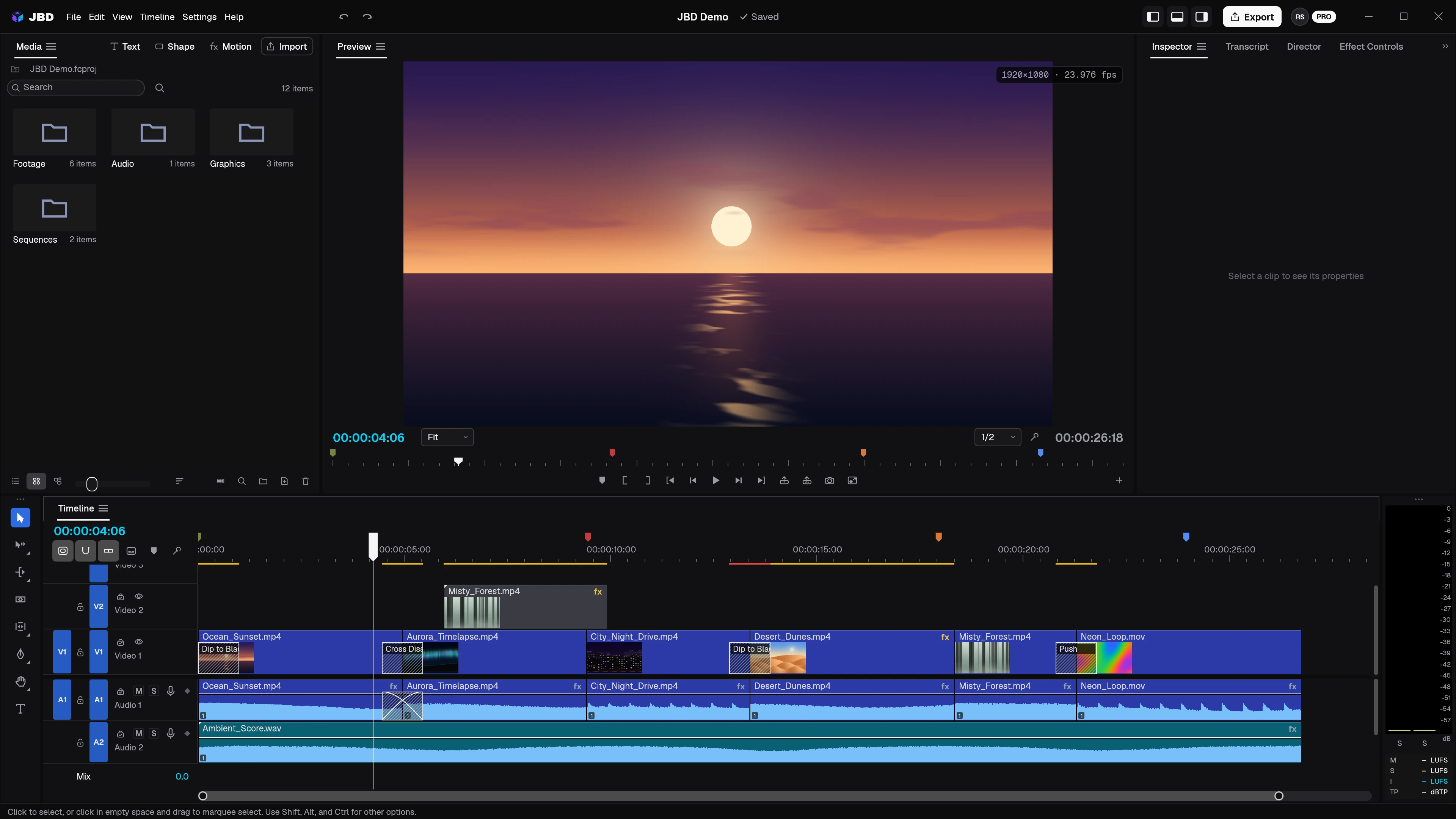
- Rebuilt timeline and preview with the trims professionals use: ripple, roll, slip and slide.
- Colour and audio curves, colour wheels, looks and scopes; track mixers with loudness meters.
- Titles and captions built-in title templates, caption tracks, and speech to text on your computer.
- Templates for every shape you post YouTube 16:9, Reels and Shorts 9:16, square and 4:5, from the new start screen.
Features
- Multi-track timeline with splits, speed changes, transitions, markers and unlimited undo
- Export H.264 up to 4K, ProRes and more
- Import and export SRT and WebVTT captions, or burn them in
- GPU-accelerated playback and compositing
- Auto-save and crash recovery
- Your Jabrod sign-in carries over from the first JBD
Fixes
- Text, Shape and Motion work straight away: a new project always has a timeline open
- Double-clicking media puts it on the timeline
- Close Project asks about unsaved changes and returns to the start screen
- Ctrl+N, Ctrl+, and Ctrl+Shift+W do what the menus say
- Signing in opens your browser
- The launch animation always plays, and the taskbar icon is full size